

Conoce al agente de IA #6: Crea una imagen
.avif)
Nos encanta facilitar las cosas a nuestros clientes, y este es un gran problema para cualquiera que haya pasado demasiado tiempo buscando la imagen correcta. Conoce a la última incorporación a nuestra familia de agentes de IA...
Crear una imagen
Hace exactamente lo que parece. Describes la imagen que quieres y el agente la genera para ti, justo dentro del Backoffice de Smartico. Ya sea que estés creando una misión, organizando un torneo, diseñando una insignia o abasteciendo tu tienda, ahora puedes crear imágenes personalizadas en el acto sin salir de la plataforma.
El agente está disponible de dos maneras. Lo encontrarás directamente en el Asistente de Inteligencia Artificial y también aparecerá siempre que haya una imagen disponible para subir. Esto incluye misiones, insignias, niveles, minijuegos, cajas de botín, sorteos, objetos de la tienda y mucho más. Se adapta de forma natural a cualquier cosa en la que ya estés trabajando.
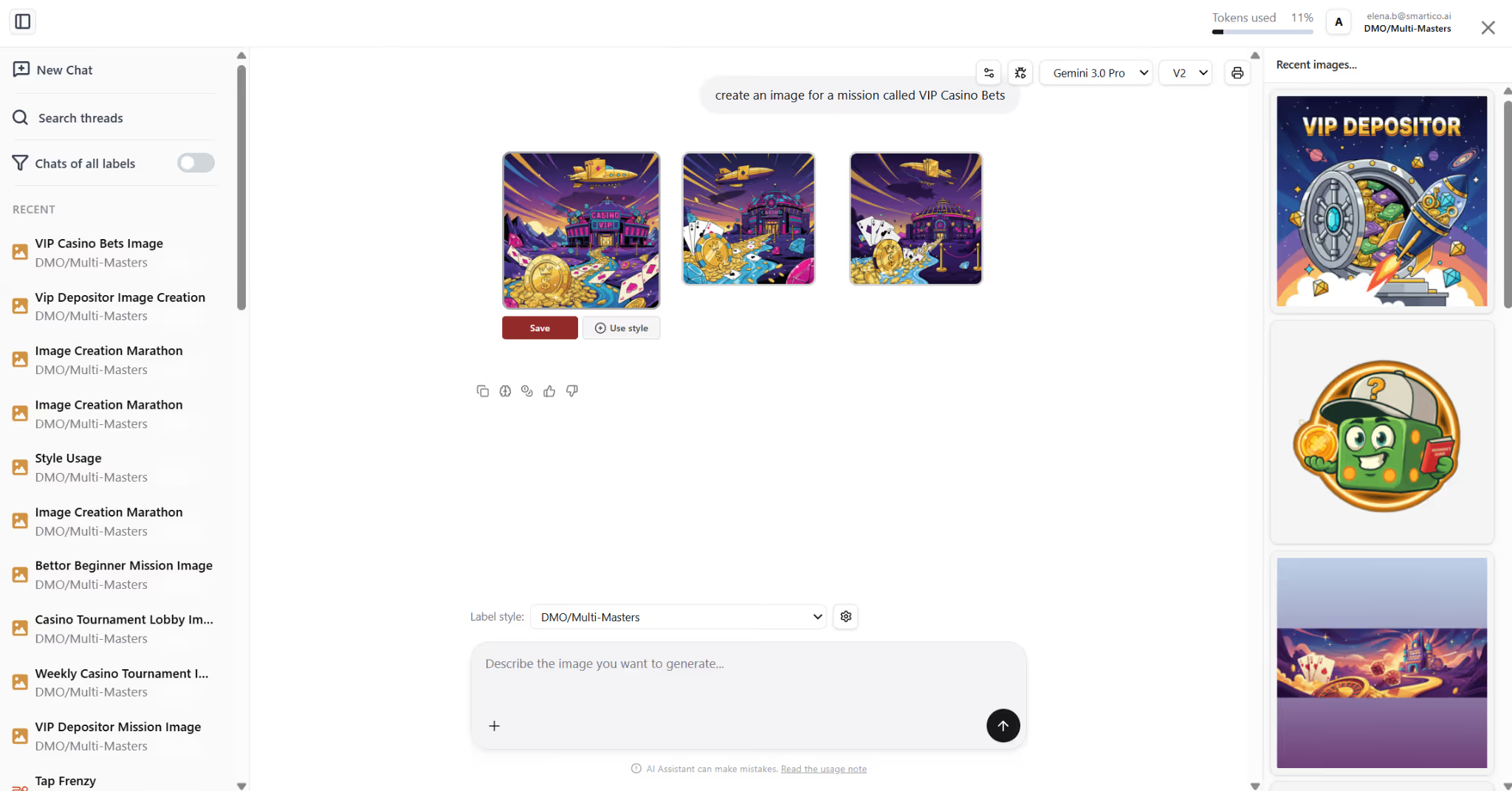
Una de nuestras características favoritas es el estilo de marca. Configura un estilo para tu etiqueta una vez y todas las imágenes generadas con esa marca coincidirán automáticamente con él. Imágenes consistentes, sin esfuerzo adicional.
¿No estás seguro de cómo describir el look que estás buscando? Solo tienes que subir una imagen de referencia (una captura de pantalla de tu sitio web o un material de marketing funciona muy bien). La IA recoge el estilo y lo sigue. Sinceramente, es uno de los mejores atajos de todo el flujo.
Cuando estés satisfecho con el resultado, pulsa Aplicar y se guardará al instante en tu administrador de recursos para que puedas reutilizarlo cuando lo necesites.
Sin idas y venidas. Solo un mensaje y una imagen atractiva, lista para usar.
Pruébalo y cuéntanos lo que has creado.