Design Your Own Lootbox in Vibe Studio
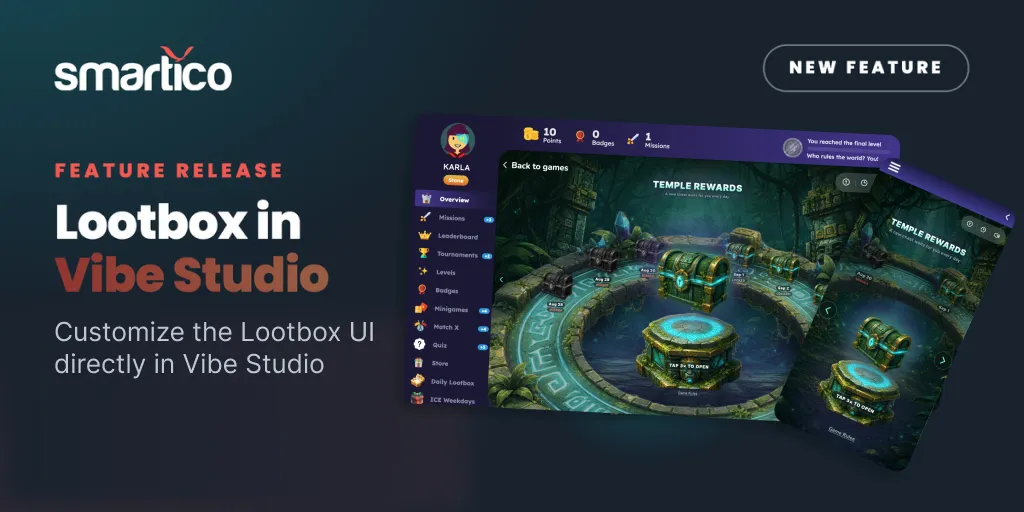
The Lootbox is one of the easiest rewards to hand a player: a container they open to reveal a prize. Until now, its look came from a standard skin. With the September release, you can open a new global Lootbox template in Vibe Studio and restyle the whole thing to match your brand, with no code and no designer queue.
What changed
There is a new global Lootbox template in Vibe Studio. Select it, and you can customize the Lootbox UI directly, its art, layout, copy, and animation, so the box your players open looks like part of your site instead of a generic default. It arrives alongside the new Use Custom Game option, which lets you replace the standard skin of a mini-game with a design built in Vibe Studio.
One setup detail worth knowing: to build a Custom Lootbox, start from the original Lootbox template and select your Custom Game from there. Do not use the Custom Mini-game template for this one.
How it works
Custom Games split a mini-game into two layers, and the Lootbox follows the same model.
The design lives in Vibe Studio. You describe the look you want in plain English, the AI editor builds it, a live preview updates as you go, and one click takes it live. You can pull the mini-game's live configuration into the editor, so the prizes you see while designing match what will be awarded, and you can preview on desktop and mobile before publishing.
The rewards live in Mini-games. The prize pool, odds, caps, buy-in, and player eligibility stay in Gamification, under Mini-games, which remains the single source of truth. Changing the design never touches the reward logic, and you can link a different design later without reconfiguring anything.
The useful part is that separation. Your team can restyle the Lootbox for a weekend promotion with no risk of nudging a prize probability by accident, because the two jobs sit in two places.
Why we've made this addition
For most teams, the slow part of a branded reward game was production. The idea was easy. Turning it into a live, on-brand game meant a design request, a build, and a wait. Now the person running the promotion can handle the styling directly:
- Match the Lootbox to a campaign, a season, or a single brand, and have it live in minutes.
- Run different looks across brands from the same reward setup, since design and rewards are independent.
- Change the art whenever the campaign changes, with no effect on odds or eligibility.
- Ship on live Smartico data, so what you build is what players open.
Where it fits
The Custom Lootbox is part of Custom Games, the presentation layer for mini-games built in Vibe Studio. It joins a growing set of templates you can start from, including Shell, Balloon, Darts, Pinyata, Sphere Strike, and the new Gem Rush, each one a base you can rebrand and reshape in the editor.
Getting started
Custom Lootbox is available now. To turn it on, request it from your Customer Success Manager, then open Vibe Studio and start from the Lootbox template. The full walkthrough, including the Use Custom Game toggle and translations, lives in the Custom Games documentation, and everything shipped this cycle is in the September 2026 release notes.
Check it out today!