A rewards store where points become prizes
Players spend the points, gems and diamonds they earn on bonuses, game spins, mystery boxes, raffle tickets, avatars and real merch. You set the prices, the stock, the limits and who can buy, and a journey you set up asks for the delivery address when a physical prize is bought.
 NewHaunted Ballpark150
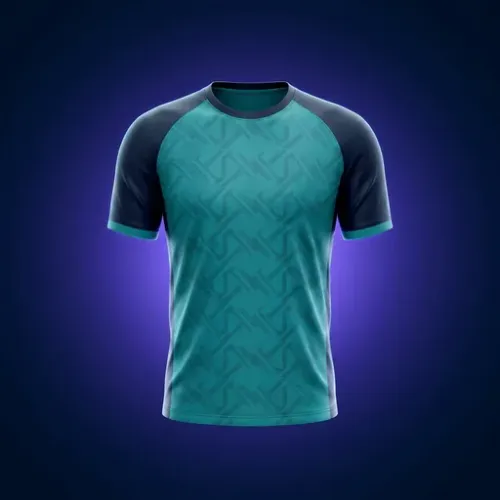 Hot4 leftTeam Jersey1,500Buy
 VIPCrowned Lion400
Points need a place to go
Missions, tournaments, levels and campaigns pay out points. The store is where players spend them, so every point has a value and a reason to come back.
- Players chooseA reward they picked feels better than one they were given. The store lets each player save up for what they want.
- You control the costPrices, stock, limits and segments keep the budget where you want it. A bonus costs only when someone spends points on it.
- Always something newTimed deals, weekday offers and new stock every hour give players a reason to open the store again.
- One loopPoints from every Smartico feature land in one balance, and every purchase is an event your journeys can react to.
A Casino Rewards Store
The full catalogue, as a casino would show it in its lobby: categories, ribbons, a discount, stock, a countdown, prices in points, gems and diamonds, item details with terms and related items, and the player's purchases. Every number comes live from the store on our demo account. No real money: the deposit button sends a demo event.
- 1Press Deposit €50 to earn 500 points, then open an item to see its details and terms.
- 2Buy 50 Gems, then open the Mystery Box for 20 of them: Smartico shows what was inside.
- 3Trade 30 gems for 3 Diamonds and spend one on 5 Raffle Tickets: you are in the next daily, weekly and monthly draw.
Eight kinds of store item
Each item says what the player gets. Mix them in one store, or give each kind its own category.
 BonusesFree spins, free bets, cash or a deposit match from your bonus engine, credited the moment the player buys.
- Mini-game attemptsSpins on a wheel, swings at a baseball, cards to scratch. The game can open as soon as the player buys.
 Prize dropsA mystery reward drawn from a prize pool, opened right after the purchase.
 Raffle ticketsTickets for the next draw, so points become a chance at the big prize.
- AvatarsProfile pictures that only the store sells. Players show them in leaderboards and tournaments.
 Gems and diamondsExchange points for your premium currencies, or price exclusive items in gems or diamonds.
- Level upgradesMove the player to a higher level, for brands that run levels by hand.
- Physical prizesMerch, gadgets, tickets. Smartico records the order and asks for the delivery details, your team ships it.
A Sportsbook Fan Shop
The same store in a sportsbook app, built around the selling rules: a season deal with a countdown, low stock, a members-only item, a weekday deal and a trade-up from points to gems, diamonds and raffle tickets. Hold the button to buy. The orders screen follows each purchase.
- 1Deposit three times, then buy the Team Jersey: a form asks where to send it. Keep the made-up address.
- 2Open Wireless Headphones: everyone sees them, only VIP players can buy them.
- 3Open Orders to follow each purchase from paid to delivered.
Selling rules set in the back office
Every item has its own rules. The live demos above use them, so you can see each one work.
- 1,000
1,250-20%Price and discountA price in points, gems or diamonds, an old price crossed out, and a discount ribbon.▶ Holiday Hoodie · Mystery Box in gems - HotNewVIPSaleRibbonsHot, new, VIP, sale or your own image on the card.▶ every card
- 3 / 5 leftStock with refillA shared stock for all players, refilled every hour, day, week or month, or on dates you pick.▶ Team Jersey: 5 an hour
- 2 / 3todayLimits per playerHow many one player can buy per day, per week, per period or for life, with your own message.▶ Ballpark swings: 3 a day · Avatar: one ever
- ⏱ 63d 04hCountdown and datesOpen and close an item on dates, show a countdown, or show it only during some hours of the day.▶ Holiday Hoodie
- MTWTFSSBuying daysKeep an item visible but sold only on some days or inside a window, with a message that says when.▶ Coffee Mug: Monday to Friday
- 🔒 VIPWho sees, who buysOne segment sees the item, another can buy it. The rest see why it is locked.▶ Wireless Headphones: VIP only
- MerchT&C+2Details that sellCategories, terms, related items and related games, a sort order, and a section of the widget for some items only.▶ Terms and "Goes well with"
Physical prizes with the address collected for you
A purchase is an event, so a journey can follow it. For merch, the journey you set up shows a form that asks where to send it, saves the answers and tells your team. Try it: buy the Team Jersey in a demo above.
- The player buysPoints are taken and the stock goes down by one.
- A journey startsTrigger: store purchase succeeded, for your physical items only.
- A form asks for the addressName, address, country and size, pre-filled where you know them.
- The order is confirmedA popup or an email tells the player what happens next.
- Your team ships itA Slack message or a webhook sends the order to the team that ships it.
Reports on what players buy
The store is where your points economy shows its value. Its numbers sit next to what players earn.
- Points, Gems & Diamonds dashboard: what players earn and spend, and the most popular store items.
- Store activities: purchases and buyers week by week, in the back office.
- Purchases as events: use a purchase in journeys, automation rules and segments, for example to thank buyers or to win back players who stopped spending.
- Your own BI and AI: store items and purchases are in the Smartico data warehouse, and the AI Data Analyst answers questions about them in plain language.
Build on it with code, Vibe Studio or AI
Your store items are open to your developers, to Vibe Studio and to AI assistants, with the same data and rules as the back office.
- Your own codeThe JS API gives your front end all your store items with live updates, and native SDKs and demo apps cover iOS, Android and React Native.Developer resources
- Vibe StudioDescribe the store you want, a full catalogue, a deal of the day or a shop inside your app, and Vibe Studio builds it on your live items. Both demos on this page were made this way.See Vibe Studio widgets
- MCP Server and AI AgentsAsk Claude or ChatGPT to create, change or check your store items over the MCP Server. Smartico's AI Agents analyse them for you and draw their pictures.MCP ServerAI Agents